Showing posts with label Web. Show all posts

Tuesday, May 7, 2024

Canva in the Classroom

Have you been looking for a fun way to use technology in the classroom? Have you been wondering how you can use Canva with your students?

Canva is a great tool and they offer it free for educators. If you work in one of my local districts, access is available via Clever, for teachers, staff and students.

I recently attended MACUL and came back with a ton of ideas for using Canva in the classroom. Below is a short list of ways to use it in the classroom.  Please reach out if you would like more details about any of the options listed below.

You can use Canva to create:

Teacher / Student Presentations
Group work activities
Interactive Graphic Organizers
Social Media Posts
Google Classroom Headers
Posters
Newsletters 
Flyers
Videos 
Screen Recordings
Whiteboard activities
Comics
storyboards
digital books
magazine covers
YouTube thumbnails
...and so many more options.

Tuesday, January 31, 2023

Postlight Reader

Postlight Reader is a Google Extension that allows you to remove webpage noise and clutter from an article to make it easier for students to read.  

Mercury Reader Extension - Off          Mercury Reader Extension -On

Postlight Reader allows you to make minor changes to font style, size and light/dark background options.  

Mercury Reader Extension - Settings icon     Mercury Reader Extension - Settings Menu

Not only is this extension great for students, teachers can also use it for clearing out the clutter on articles that need to be printed or shared with others.  

Tuesday, February 22, 2022

whiteboard.chat

Would you like to collaborate with your students, using an online whiteboard?

Whiteboard.chat is a free interactive online whiteboard for teachers and students to collaborate digitally.  You can easily observe all of your students, on individual whiteboards or demonstrate something to the whole class on a single board.  

Although it is free for educators, there are some limitations.  You can have up to 10 class boards.  If you don't touch a board for 7 days, it will be deleted.

Whether you are creating individual student boards or one class board, inviting student is as easy as sharing the board specific code.  

Although it takes a little exploring to figure out how to navigate at first, there are some really COOL features in whiteboard.chat! 

Do you want to show your kids how to break down money, give change?

Open a new board.  

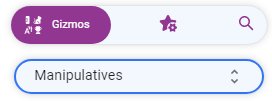
On the right open Gizmos: 


In the menu find US Currency:


Add some different denominations of money to the board.

On the left go to Tools, Break Down:

With the crosshairs, click on any of the bills or coins (larger than a penny) you added!

Tuesday, September 28, 2021

Tab Scissors and Tab Glue

Tab Scissors and Tab Glue are 2 of my FAVORITE extensions. These 2 extensions go hand-in-hand and are useful for a variety of reasons.
 
Image of Tab Scissors Extension Tab Scissors lets you separate 2 tabs within one Google Chrome browser window. Tab Scissors splits the tabs into 2 smaller, equal sized windows allowing you to compare information side-by-side. The extension separates your window at the active tab and the one to its immediate left. If you have additional tabs open, the ones on the left stay in the left window and the ones on the right stay in the right window.

Image of Tab Glue Extension Tab Glue allows you to quickly put all of your tabs back together, into one large window. Your tabs remain in their original order. Tab Glue simply works in the reverse of Tab Scissors.

Tuesday, April 20, 2021

This-is-sand

Are you looking for something artistic to do?  How about something that is relaxing as well?

This-is-sand lets you create sand art on your computer or other wireless device.  It is a fun, relaxing activity for people of all ages.  

This-is-sand can also be used to help kids learn to click and drag.  In the settings (near the bottom of the home page) toggle off Auto-Flow.  This will require you to click and drag to get the sand to flow.  Students can work on clicking and dragging while moving the sand all across the screen.  


This-is-sand is available online (https://thisissand.com/), in the App Store (https://apple.co/2QFHz7M) and on Google Play (https://bit.ly/2RPk9NX).  


Tuesday, March 17, 2020

Otter Voice Meeting Notes

Technology is improving everyday and it seems like nothing is improving faster than speech to text.  AISence Inc. is a startup on a mission to make voice conversations more valuable for everyone.

AISence has created a program called Otter, that will now record and take meeting notes for you in real-time.  Otter helps you capture and manage verbal communication through meetings, video conferences, school lectures, and other important conversations.

There is a free version of Otter and a Premium version.  With the free version you get 600 minutes of transcription every month and the plan does not expire.  The Premium plan offers 6,000 minutes per month.

Image of Otter iOS app icon.Download Otter Voice Meeting Notes for:
Android  (https://play.google.com/store/apps/details?id=com.aisense.otter)
iOS  (https://apps.apple.com/us/app/otter-ai/id1276437113?ls=1)
Or, create an account in your Google Chrome browser at otter.ai.

To learn more about Otter go to otter.ai.

Tuesday, January 21, 2020

Twitter as a Tool

Twitter (twitter.com) can be used as a great tool for professional development, teaching tips and communication with students and parents. There are a variety of teachers, Assistive Technology Specialists and Universal Design for Learning professionals that post on Twitter.

Check out a few hashtags for yourself, you can start with:
#assistivetechnology
#AT 
#universaldesignforlearning 
#UDL
You can also follow me at @Kendra_Jean7791 as a starting point for your Twitter learning experience.

Creating a classroom hashtag, to use as a parent communication tool, to let parents see some of the great things you and your students are doing in the classroom, is also a great way to use Twitter as a Tool.

Get started on you Twitter journey today!

Tuesday, January 14, 2020

DF Tube (Distraction Free for YouTube™)

DF Tube (Distraction Free for YouTube™) (https://tinyurl.com/yd3x2lag) is a Google Extension that is used to hide the video recommendations sidebar and the related videos that appear at the end of videos. It also removes the grid of recommended videos that appear on your homepage.  All of the settings in DF Tube are configurable and allows you to hide comments and disable playlists sitewide.

YouTube™, as a company, is directly incentivized to create views and get as many ad clicks as possible.  Because of this we are often overwhelmed with thumbnails and advertisements from every angle.  While this is good for someone looking to kill time, it is not so good if you are trying to focus on educational content, do research, or find some relaxing music to groove to.

Give it a try for yourself and see how much more productive you can be!

Tuesday, January 7, 2020

Math Games

Even though the word technology is in the phrase Assistive Technology, it is not always about high tech.  Using low tech options, such as manipulative, can be helpful for all students when teaching math concepts.  
In the article 16 Fun and Free First Grade Math Games and Activities  (https://tinyurl.com/w6gspte) from WeAreTeachers.com there are a variety of hands on math activities, some of which can be adapted for higher level math concepts.  Many of these activities could be used as indoor recess game options as well, such as 100 chart battleship, dot arrangement bowling or Shut-The-Box.  
Take a look at these great math game and activity ideas to determine how you can use them in your classroom today. 

Tuesday, December 31, 2019

Learning 4 All Virtual Conference for Educators

The William and Ida Friday Institute for Educational Innovation at NC State University would like to invite everyone to attend the Learning 4 All virtual conference for educators.  The Learning 4 All conference will be held February 9 and 10.  It will contain virtual sessions featuring innovative educators sharing best practices designed specifically for educators, coaches and school leaders.  We are also pleased to announce our keynote speakers; Liz Kholb (https://tinyurl.com/wjkfux2) and Darren Hudgins (https://tinyurl.com/srrhop2). 

Kick off another amazing year of learning, networking and collaborating with Learning 4 All.  To learn more and register please visit our website: LEARN 4 ALL (https://tinyurl.com/ts9bynh). 

Tuesday, December 17, 2019

Plagiarism Checker

I have been working with a student that attends classes at a local university. His teacher consultant, a colleague and friend of mine, was doing some research on free plagiarism checkers to use with her students when she discovered Free Online Plagiarism Checker Tool by Publi6 (https://freeplagiarismchecker.pro/en).

Students can use plagiarism detection software to check completed class work, essays or research assignments. Students can face penalties for plagiarism, including failing an assignment, being put on academic probation, or even face expulsion at some colleges and universities.  Students should be aware that even unintentional plagiarism can be viewed as plagiarism and may be dealt with accordingly. 

If you have students working on writing assignments or research projects, make sure they check for plagiarism before they turn it in for grading.

Tuesday, November 19, 2019

26 Must-Watch TED Talks

Who has heard of TED Talks?

TED is a nonprofit organization devoted to sharing  ideas on a variety of topics.  TED began as a conference that brought together the world’s most innovative people in Technology, Entertainment and Design to deliver short yet powerful talks in 18 minutes or less.  Today TED Talks cover almost all topics in more than 100 languages.

TED Talks can be a phenomenal classroom resource for engaging students and sparking meaningful conversations. Take a look at the list of TED Talks in the link from We Are Teachers below.  How can you use them to engage the students in your classroom?

26 Must-Watch TED Talks to Spark Student Discussions (https://tinyurl.com/yyry6bw3)

Tuesday, November 12, 2019

Classroom Noise Monitor Apps

If you don't already follow We Are Teachers (https://www.weareteachers.com/) you might want to consider it.  They have a TON of classroom ideas and free printables available.  I do follow We Are Teachers and I get an email from them weekly.  

This weeks email included a short list of Classroom Noise Monitor Apps that I thought would be helpful in a number of situations.  Most of the "apps" are actually websites, with one Google app thrown in.  The websites work on all computers, Chromebooks and tablets (iPad and Android).  These apps could be used by you, as the teacher, for the whole class or by individual students to help him/her monitor his/her own noise level. 
Please take the time to read the article and try one out with your classroom today.

5 Classroom Noise Monitor Apps to Help Calm the Chaos (https://tinyurl.com/y6p8aoa2) 
by Jill Staake 

Tuesday, October 8, 2019

IRIS Center: Autism Spectrum Disorder (Part 1)

Autism Spectrum Disorder (Part 1): An Overview for Educators 
(https://iris.peabody.vanderbilt.edu/module/asd1/#content)

This module, first in a two-part series, provides information on the early signs of autism spectrum disorder (ASD), as well as an overview of the difference between a medical diagnosis and an educational determination of ASD. Resources include notes on instructional considerations for teachers who have children and students with ASD in their classrooms, as well as things to keep in mind when working with the families of those children and students. 

(est. completion time: 2 hours)

Tuesday, October 1, 2019

October

Over the summer I posted modules from The Iris Center at Vanderbilt Peabody College (https://iris.peabody.vanderbilt.edu/) which contained some useful information and that could be used to get PD hours.

During the month of October, I am going to post 4 more modules, one for each of the next 4 weeks. Each of the modules are also in the IRIS STAR Legacy Modules list (https://tinyurl.com/y56eews6) for which you can get a Professional Development Certificate (https://tinyurl.com/y472jytb). As a reminder, these certificates are free through the end of 2019 so check the modules out soon.


I hope you enjoy the modules as much as I have and that you learn something new and exciting to help your students!

Tuesday, September 24, 2019

Installing Google Extensions, Apps and Add-ons

Google has a variety of "add-on" features, many of which are free. They have Google Extensions, Google Apps and Google Add-ons. I review a number of these great features as a part of this Blog. Attached below are instructions for how to add these wonderful features for use in your Google browser or with the G-Suite of applications.

Install a Google Extension or Google App 

(https://tinyurl.com/y4vpgjpd)

Install a Google Add-on 

(https://tinyurl.com/y5xld2bh)


Tuesday, June 4, 2019

LibriVox

Do you enjoy listening to books? Have you had some of the classics on your "to read" list?
LibriVox (https://librivox.org/) lets you listen to books, available on the public domain, for free. This service is similar to the eBooks available through Project Gutenberg (https://www.gutenberg.org/), which I wrote about last week (https://at-udl.blogspot.com/2019/05/project-gutenberg.html).
 
Volunteers from all over the world read the books published on LibriVox.  The audiobooks are free for anyone to listen to.  You can listen on your computers, an iPod or other mobile device, or you can burn it onto a CD.

Tuesday, May 21, 2019

Stuff You Missed In History Class

Are you looking for something fun and educational to listen to this summer?  

Check out the podcast "Stuff You Missed in History Class"  (https://podcasts.apple.com/us/podcast/stuff-you-missed-in-history/id283605519?mt=2)".  

In this podcast by HowStuffWorks, you will join Holly and Tracy as they bring you the greatest and strangest Stuff You Missed In History Class.  They post new podcasts every few days and with 300 current episodes there is surely something for everyone.

Tuesday, May 7, 2019

SlideShare by LinkedIn - Guest Informer

LinkedIn (https://www.linkedin.com) has a new section called SlideShare (https://www.slideshare.net/).  I learned about this new feature from our district Technology Resource Specialist, Jerilyn Lynn.

In this section you can discover, share and learn new things.  It is a place to "share what you know and love through presentations, infographics, documents and more".

Some individuals have used this section to make slide shows of picture books.  They are simply a scan of the books, no attached audio that I have found yet.  These are a nice quick way to project a book to read to your class, that is already flat and doesn't require you to use (or have) a document camera.   Some are of higher quality than others but most that I have looked at so far are good.

Please keep in mind that these digital copies of books are not necessarily accessible materials compliant, just simply the book available in a non-paper format.

A few favorite titles that I have come across in my quick search are:

The Very Hungry Caterpillar by Eric Carle (https://www.slideshare.net/samanthamorris211/the-very-hungry-caterpillar-7574597)

If You Give a Moose A Muffin by by Laura Numeroff (https://www.slideshare.net/mol_by/if-you-give-a-moose-a-muffin-presentation

Tuesday, April 16, 2019

Kiddle

Kiddle (https://www.kiddle.co/)  is a kid friendly, safe search engine powered by Google Safe Search (but is not affiliated with Google Inc).  Kiddle search results satisfy family friendly requirements, such as filtering out explicit or deceptive content. The search results are kid-oriented, sites and pages are written specifically for kids.  Kiddle has safe, trusted sites that are not written specifically for kids, but that have content written in language that is easy for kids to understand.  

Kiddle makes scanning through most results easier by providing big thumbnails.  Big thumbnails are great visual cues that helps differentiate between results and help more easily locate the results you are looking for.  Kiddle uses a slightly larger font than the standard Google search engine does which also helps with readability of results.

Kiddle does not collect any personally identifiable information and logs are deleted every 24 hours. 

Next time your class is doing research have them use https://www.kiddle.co/ as a safer, more kid friendly search engine.