Prompting is an important part of using Generative AI. In order to get the best output for you situation, whether it is written output or an image, you need a good prompt. Using descriptive language and observation are important skills that our students need in order to enhance their writing skills as well. One way to make this learning fun is to try using the Google Experiment, Say What You See.
Say What You See challenges your descriptive abilities and puts your powers of observation to the test. It is an interactive game that presents you with AI-generated images and tasks you with crafting accurate and detailed descriptions. The better your description, the closer you'll get to recreating the original image using AI. It's a fun and engaging way to learn about the nuances of language and how AI interprets visual information.
Showing posts with label ELA. Show all posts
Showing posts with label ELA. Show all posts
Tuesday, May 28, 2024

Tuesday, January 23, 2024
World Read Aloud Day
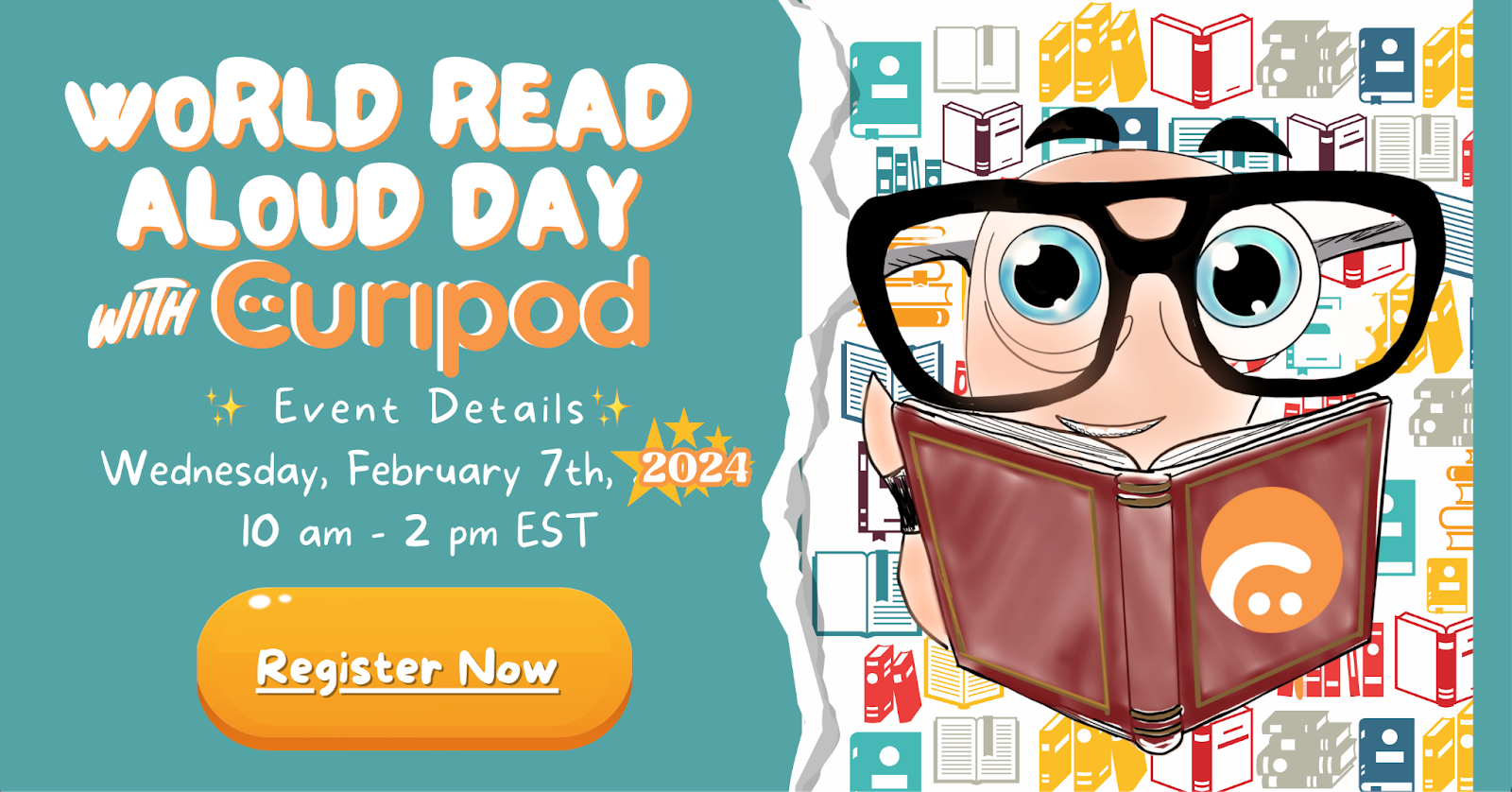
World Read Aloud Day is a day dedicated to the art of reading aloud. It is celebrated on the first Wednesday in February. Multiple vendors and book companies provide a variety of activities to celebrate. Mark your calendars for February 7th, 2024, and get ready for a day full of excitement as we celebrate the joy of reading aloud.
One of the great companies that will be participating in World Read Aloud Day is Curipod! They will have a new author every 30 minutes, including a live Q & A session with each author. Each registered classroom will get a 70-page activity packet from Curipod. The packet includes amazing interactive, engaging lesson plans and activities, downloadable activity books, coloring pages, turnkey Curipod lessons, Genially activities and so much more!
Don't miss out on this incredible opportunity! Register your classroom now to ensure you and your students don't miss out on the literary adventure of a lifetime. Even if you can't attend, registering to receive the student activity guide is worth it!
Register with Curipod for WRADLive at https://wradlive.com/.
Tuesday, January 16, 2024
Curipod
As teachers and school leaders, we often get pressured to implement new technologies in our classrooms. With this, one of the hardest challenges we face is guaranteeing that the technologies are being used responsibly and safely.
Curipod is one of these technologies. It is an AI designed specifically for teachers.
Curipod is an AI that is used to make interactive lessons filled with creativity, reflection, and critical thinking. It can be used to create interactive presentations on a myriad of educational topics for all grade levels.
One of the new lesson options is Curipod is Leveled Reading Passages with Comprehension Questions.

This new option is a great way to make reading fun! It is perfect for 3rd-5th grade reading levels, or foreign language learning.
Try using students' interests as a topic, such as their favorite game, movie, sport, or animal!
Tuesday, March 21, 2023
Presentation Skills Toolkit
Learning presentation skills has been identified as essential for building one’s capacity to plan, facilitate, and share any content in oral presentation form.
The REMC Association of Michigan has great resources teachers can use to help build these skills within their students, during classroom lessons.
PRESENTATION SKILLS TOOLKIT (https://www.remc.org/classroom-resources/presentation-skills-toolkit/)
This REMC toolkit offers students and educators learning resources, reflection points, and exercises to improve presentation techniques, for all grades and ages. There are lessons available in 5 different categories: collaborator, audience-centric design, establishing credibility & purpose, and presenting with clarity & confidence.
The REMC Association of Michigan has great resources teachers can use to help build these skills within their students, during classroom lessons.
PRESENTATION SKILLS TOOLKIT (https://www.remc.org/classroom-resources/presentation-skills-toolkit/)
This REMC toolkit offers students and educators learning resources, reflection points, and exercises to improve presentation techniques, for all grades and ages. There are lessons available in 5 different categories: collaborator, audience-centric design, establishing credibility & purpose, and presenting with clarity & confidence.
Tuesday, March 7, 2023
Promoting STEM Through Literature
REMC has another great resource that I would like to highlight this week:
Promoting STEM Through Literature
Literature can be a great way to get students excited about science, technology, engineering, and math (STEM). Educators can use literature to get students actively involved in the design thinking process.
Each of the title shared on the website has a book card/lesson plan that includes a maker-STEM connection; pre, during, and post questions; and a design challenge that incorporates materials you could check out from your local REMC library. You can also check out each of the books from your local REMC library.
This year there will be 3 new books announced at the MACUL conference in Detroit, in March.
Tuesday, February 14, 2023
Wintertime Magnetic Poetry with Google Drawings
A couple of weeks ago I went to a great Professional Learning session offered by our local REMC, REMC 16, called Google Ignite. The session was by Eric Curts, G Suite Certified Trainer and Innovator.
During his session he showed a variety of great ways to use resources created by or sponsored by Google. We looked at some Google sites as well as the Google Workspace apps.
Google Drawings is a great Google app that is often under-utilized. It is great for activities that you would think of as 'one-slide' activities. Almost everything you can do in Google Slides you can do in Google Drawings, and vice versa.
One of the fun activities he showed us was Wintertime Magnetic Poetry. His blog post on the topic contains some great information and even contains a template link that you can copy and use.
How will you use this activity in your classroom?
Tuesday, April 26, 2022
Free Teen Audiobooks
Sora by Overdrive has paired with SYNC to offer 16 weeks of Free Audiobooks aimed at teens 13+!
You can download 2 FREE audiobooks each week, starting April 28th and running through August 17th!
Check out the SUMMER 2022 SYNC TITLE PAIRINGS (https://bit.ly/3K0cZf1) page for the list of available books this summer.
Register and sign up for e-mail reminders or text reminders at http://www.audiobooksync.com/.
Check out the SUMMER 2022 SYNC TITLE PAIRINGS (https://bit.ly/3K0cZf1) page for the list of available books this summer.
Tuesday, April 12, 2022
Free to anyone books in Bookshare
Bookshare.org is a program that makes reading easier. People with dyslexia, blindness, cerebral palsy, and other reading barriers can customize their experience to suit their learning style and find virtually any book they need for school, work, or the joy of reading.
Although Bookshare is designed for students with reading struggles, it has over 10,000 freely available books published under the public domain or creative commons license. These books can be read by anyone and are useful for conducting demonstrations and trainings. check out the free book at the links below.
Demo Books - https://www.bookshare.org/browse/collection/353677
Ebook Sources - https://www.bookshare.org/cms/help-center/learning-center/learning-at-home/more-ebooks
Although Bookshare is designed for students with reading struggles, it has over 10,000 freely available books published under the public domain or creative commons license. These books can be read by anyone and are useful for conducting demonstrations and trainings. check out the free book at the links below.
Demo Books - https://www.bookshare.org/browse/collection/353677
Ebook Sources - https://www.bookshare.org/cms/help-center/learning-center/learning-at-home/more-ebooks
Tuesday, November 30, 2021
5-Letter Sight Words Video
I introduced the Quiz Tree YouTube channel in last weeks Blog post.
In another one of their videos students can learn all of the 5-letter Dolch Sight Words.
This video is just over 7 minutes.
This video would be a great filler activity for your class.
Tuesday, November 23, 2021
2-Letter Sight Words Video
Quiz Tree has a YouTube channel that contains some fun, short educational videos.
In one of the videos they introduce all of the 2-letter Dolch Sight Words (youtube.com/watch?v=NNFP1CBzlHU).
The video is just under 2 and a half minutes.
Let your kids watch it as many times as they like!
Tuesday, September 14, 2021
Text-to-Speech - Chromebook & iPad
Text to Speech is a tool that has multiple uses. It can be used to help with reading and writing. It can be used by students and teachers.
I use text to speech to edit my writing. I listen to what I have written to help with sentence structure or misused words. It helps me improve my writing. I use text to speech to edit many of my blog posts.
Text to Speech can be a useful tool for struggling readers, English language learners, or readers with dyslexia as well. Using Text to Speech as a reading tool can help a variety of students and adults.
Most devices have text-to-speech built into the operating system. On a Chromebook it is called Select-to-Speak (https://bit.ly/38NeLjv). On an iPad it is called Speak Selection (https://bit.ly/2XmxZYD).
To view the tutorials on how to enable and use these features select the apporiate link above.
Try it out for yourself. I am sure you will love it!
~~~~~~~~~~
To use Text-to-Speech on a MacBook or iMac, follow these directions (https://bit.ly/2YusABr) to enable Text to Speech.
Tuesday, September 7, 2021
Speech-to-Text, Google Voice Typing
As a district we have moved to 1:1 enviornment. Every YCS student has access (or can have access) to a district issued device. Take a moment to consider your students. Think about the ones who struggle to get their ideas onto paper. How about the students who struggle with spelling or have fine motor control issues.
Speech to Text is a tool that can help these students and many others. Speech to Text is an Accessibility feature built into most computers today. It is a tool that allows a writer to dictate their thoughts and ideas into a document. Many Speech to Text options also allow you to speak the punctuation and a multitude of other voice commands for editing purposes.Google Docs has a built in Speech to Text option called Voice Typing.
Google offers a fairly comprehensive instructional guide for Voice Typing. The guide includes a list of languages supported by Voice Typing as well as a list of punctuation that can be voice enabled. The guide also includes a list of voice commands for formatting or editing your document in the sections under “Voice commands”. There are also some troubleshooting tips located near the end of the guide.
Voice Typing is also available on iPads via the microphone icon that appears next to the keyboard when typing.

Give it a try! Your students will love it (and so will you)!
~~~~~~~~~~
Voice Typing is also available as a built-in features on the staff MacBooks. Please reach out to me if you would like a tutorial on how to set it up for your use.
Tuesday, September 8, 2020
Story Shares
As many as 90 million teens and adults in America lack crucial literacy skills. Approximately 70% of all middle and high school students require some form of reading remediation. About 26% of 12th graders graduate reading below grade level. As students get older it becomes harder to find content that is both relevant for their age and readable at their level. Readers become unmotivated or disinterested, and often stop reading altogether.
Story Shares (https://www.storyshares.org/books) is a non-profit organization devoted to inspiring reading practices and improving literacy skills for individuals of all ages. Story Shares has a library full of books that are both compelling and approachable for struggling teen and young adult readers - Relevant Reads.
If you are interested in writing a book to share on Story Shares check out their Guidelines.
https://www.storyshares.org/files/guidelines-story-shares-july-2016.pdf
Story Shares (https://www.storyshares.org/books) is a non-profit organization devoted to inspiring reading practices and improving literacy skills for individuals of all ages. Story Shares has a library full of books that are both compelling and approachable for struggling teen and young adult readers - Relevant Reads.
If you are interested in writing a book to share on Story Shares check out their Guidelines.
https://www.storyshares.org/files/guidelines-story-shares-july-2016.pdf
Tuesday, April 21, 2020
Free Audio Books
Overdrive has paired with SYNC to offer 13 weeks of Free Audiobooks aimed at teens 13+!
You can download 2 FREE audiobooks each week, starting April 30th and running through July 29th!
~~~~~~~~~~~~~~~~~~~~~~~~~~~~~~~~~
For younger students, check out the audio book options I discussed in a previous blog post,
Audio books (https://at-udl.blogspot.com/2016/12/audio-books.html)
As an update to this list, NighlightStories.net has begun adding new stories that you need to check out.


Listen to the books by downloading the Overdrive app (https://rebrand.ly/overdrive). The app is available for iPhone®, iPad®, Android, Chromebook, Windows 8 & 10 and Kindle Fire HD.
Check out the SUMMER 2020 SYNC TITLE PAIRINGS (https://www.audiobooksync.com/2020-sync-titles/) page for the list of available books this summer.
Check out the SUMMER 2020 SYNC TITLE PAIRINGS (https://www.audiobooksync.com/2020-sync-titles/) page for the list of available books this summer.
~~~~~~~~~~~~~~~~~~~~~~~~~~~~~~~~~
For younger students, check out the audio book options I discussed in a previous blog post,
Audio books (https://at-udl.blogspot.com/2016/12/audio-books.html)
As an update to this list, NighlightStories.net has begun adding new stories that you need to check out.
Tuesday, April 7, 2020
Rewordify.com
Rewordify.com is a powerful, free, online software that improves reading, learning, and teaching. This site can:
- Intelligently simplify difficult English, for faster comprehension
- Effectively teach words, for building a better vocabulary
- Help teachers save time and produce engaging lessons
- Help improve learning outcomes
Tuesday, March 24, 2020
LitCharts
LitCharts: From the creators of SparkNotes.
Check them out at https://www.litcharts.com/
LitCharts provides Side-by-Side Summary, Analysis, and Themes of a variety of literature.
LitCharts is similar to SparkNotes or CliffsNotes except that LitCharts broke that mold in several ways. LitCharts is more of a bulleted-list-style summary of every single plot point in the book. It offers side-by-side analysis and color-coded themes throughout the book.
The LitCharts Library has over:
LitCharts offers online access as well as a mobile app for both Android and iOS. The mobile app contains every word of content from the website, optimized for reading and reviewing on your phone.
~~~~~~~~~~~~~~~~~~~~~~~~~~~~~~
If you are interested you can also subscribe to LitCharts A+. They offer options for month to month as well as annual subscription rates.
Check them out at https://www.litcharts.com/
LitCharts provides Side-by-Side Summary, Analysis, and Themes of a variety of literature.
LitCharts is similar to SparkNotes or CliffsNotes except that LitCharts broke that mold in several ways. LitCharts is more of a bulleted-list-style summary of every single plot point in the book. It offers side-by-side analysis and color-coded themes throughout the book.
The LitCharts Library has over:
- 1230 Literature Guides
- 187 Poetry Guides
- 136 Literary Devices and Terms
- Shakescleare Translations of every Shakespeare play
LitCharts offers online access as well as a mobile app for both Android and iOS. The mobile app contains every word of content from the website, optimized for reading and reviewing on your phone.
~~~~~~~~~~~~~~~~~~~~~~~~~~~~~~
If you are interested you can also subscribe to LitCharts A+. They offer options for month to month as well as annual subscription rates.
Check out https://www.litcharts.com/mrs-dalloway-sample.pdf to view all of the great features LitCharts A+ has to offer.
Tuesday, December 17, 2019
Plagiarism Checker
I have been working with a student that attends classes at a local university. His teacher consultant, a colleague and friend of mine, was doing some research on free plagiarism checkers to use with her students when she discovered Free Online Plagiarism Checker Tool by Publi6 (https://freeplagiarismchecker.pro/en).
Students can use plagiarism detection software to check completed class work, essays or research assignments. Students can face penalties for plagiarism, including failing an assignment, being put on academic probation, or even face expulsion at some colleges and universities. Students should be aware that even unintentional plagiarism can be viewed as plagiarism and may be dealt with accordingly.
If you have students working on writing assignments or research projects, make sure they check for plagiarism before they turn it in for grading.
Tuesday, August 27, 2019
IRIS Center: Secondary Reading Instruction (Part 2)
Secondary Reading Instruction (Part 2): Deepening Middle School Content-Area Learning with Vocabulary and Comprehension Strategies (https://iris.peabody.vanderbilt.edu/module/sec-rdng2/#content)
This module examines some of the reasons that adolescents struggle with content-area text and overviews effective strategies teachers can use to improve the vocabulary and comprehension skills of students with a wide range of abilities and across a variety of subjects.
(est. completion time: 1.5 hours)
This module examines some of the reasons that adolescents struggle with content-area text and overviews effective strategies teachers can use to improve the vocabulary and comprehension skills of students with a wide range of abilities and across a variety of subjects.
(est. completion time: 1.5 hours)
Tuesday, August 20, 2019
IRIS Center: Secondary Reading Instruction (Part 1)
Secondary Reading Instruction (Part 1): Teaching Vocabulary and Comprehension in the Content Areas (https://iris.peabody.vanderbilt.edu/module/sec-rdng/)
This module describes how teachers can incorporate vocabulary and reading comprehension skills instruction into content-area lessons and will introduce you to a variety of effective practices—including the use of graphic organizers—to help students better understand what they read.
(est. completion time: 1.5 hours)
This module describes how teachers can incorporate vocabulary and reading comprehension skills instruction into content-area lessons and will introduce you to a variety of effective practices—including the use of graphic organizers—to help students better understand what they read.
(est. completion time: 1.5 hours)
Tuesday, August 13, 2019
IRIS Center: CSR
CSR: A Reading Comprehension Strategy (https://iris.peabody.vanderbilt.edu/module/csr/)
This module outlines Collaborative Strategic Reading (CSR), a strategy for helping students to improve their reading comprehension skills. In CSR, students work together in small groups to apply comprehension strategies as they read text from a content area, such as social studies or science.
(est. completion time: 1 hour)
This module outlines Collaborative Strategic Reading (CSR), a strategy for helping students to improve their reading comprehension skills. In CSR, students work together in small groups to apply comprehension strategies as they read text from a content area, such as social studies or science.
(est. completion time: 1 hour)
Subscribe to:
Posts (Atom)